Bookings in the PMS, cleaning on WhatsApp, faults in a notebook
In Alfa a booking creates a task for the team, and a reported fault goes to maintenance and blocks the apartment when needed.
Hotels, aparthotels and apartment operators
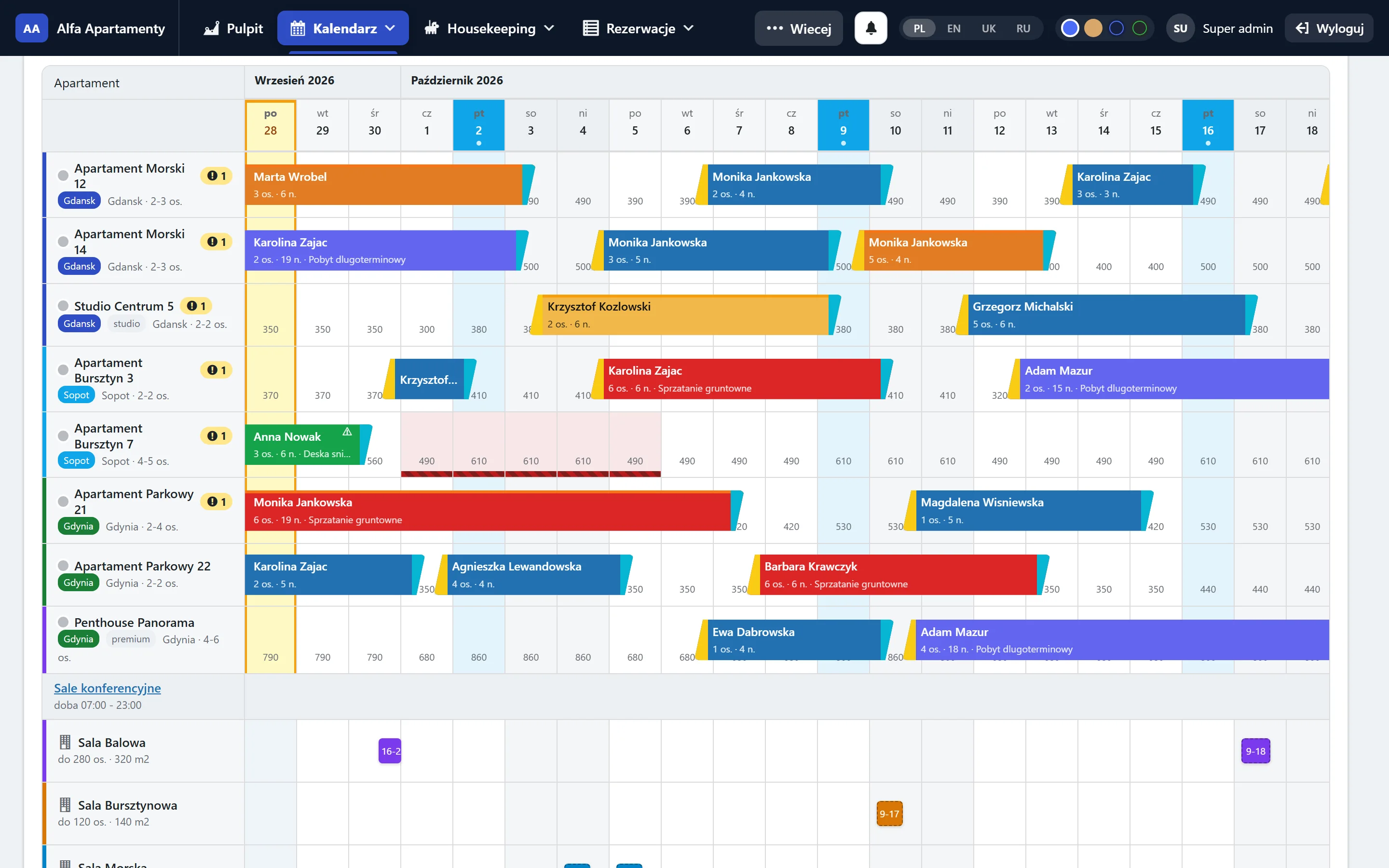
Alfa PMS brings together the reservation calendar, housekeeping, department work, inventory, invoicing and owner statements. Everyone sees what they need - and nothing more.
Works with the tools you already use




Why Alfa
Bookings in the PMS, cleaning on WhatsApp, faults in a notebook
In Alfa a booking creates a task for the team, and a reported fault goes to maintenance and blocks the apartment when needed.
Shift handover by word of mouth
Each department takes over and hands over the shift in the system - with a task list, checklist and note. Nothing gets lost overnight.
Owners calling for their statement
Statements are calculated from bookings and costs, and owners see them in their own portal.
Who it's for
Front desk, rooms, meeting rooms, invoicing and fiscal printer. Room categories, rate and meal plans.
Learn moreMany buildings and locations, smart locks with PIN codes, field housekeeping and apartment cards with answers for guests.
Learn moreManaging apartments for owners: owner statements, commissions, costs split per apartment and an owner portal.
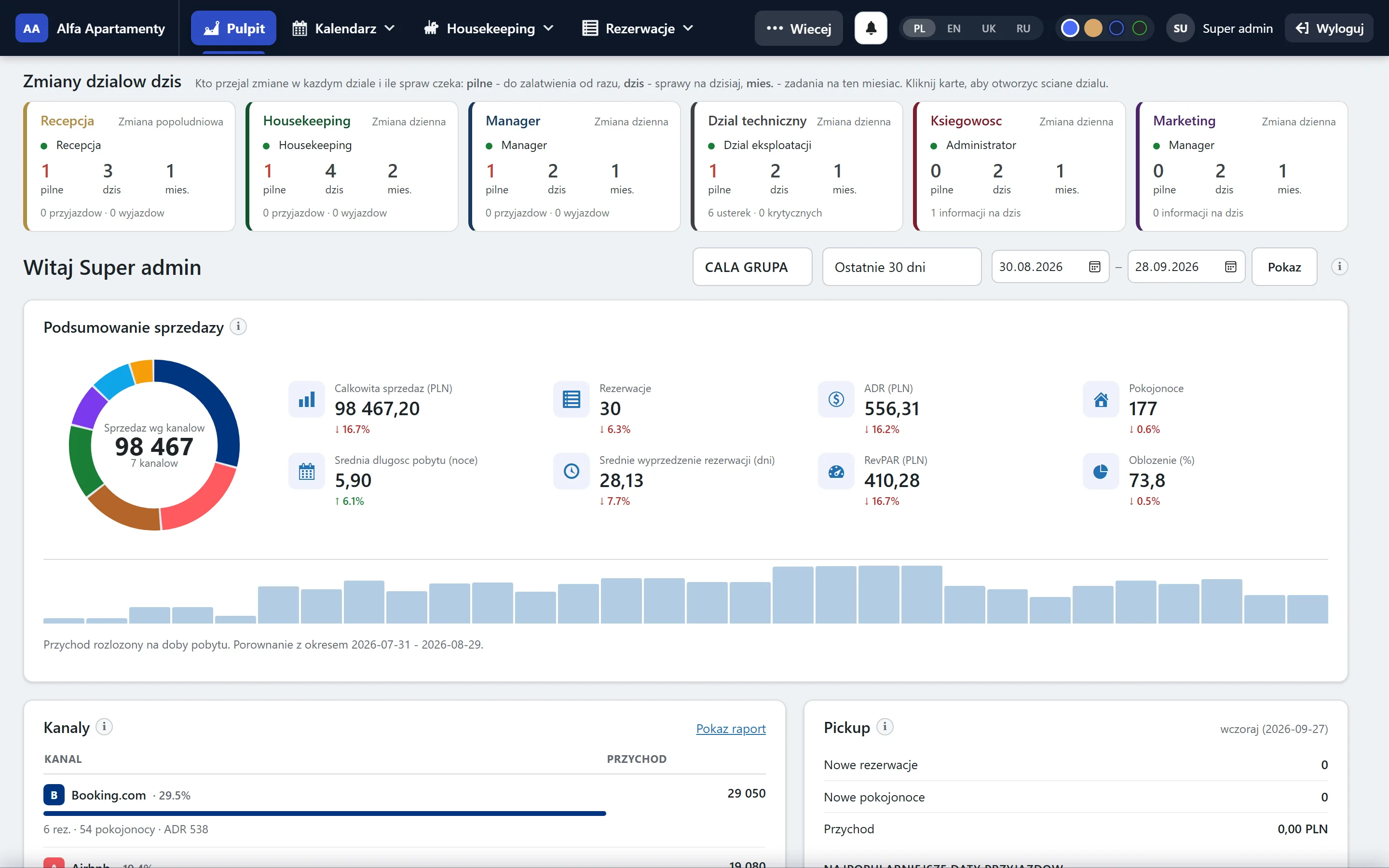
Learn moreSales dashboard
Revenue, ADR, RevPAR, occupancy and sales channels for the whole group or a single building. Above the results, department tiles show who took over the shift and how many tasks are waiting - urgent, today and this month.
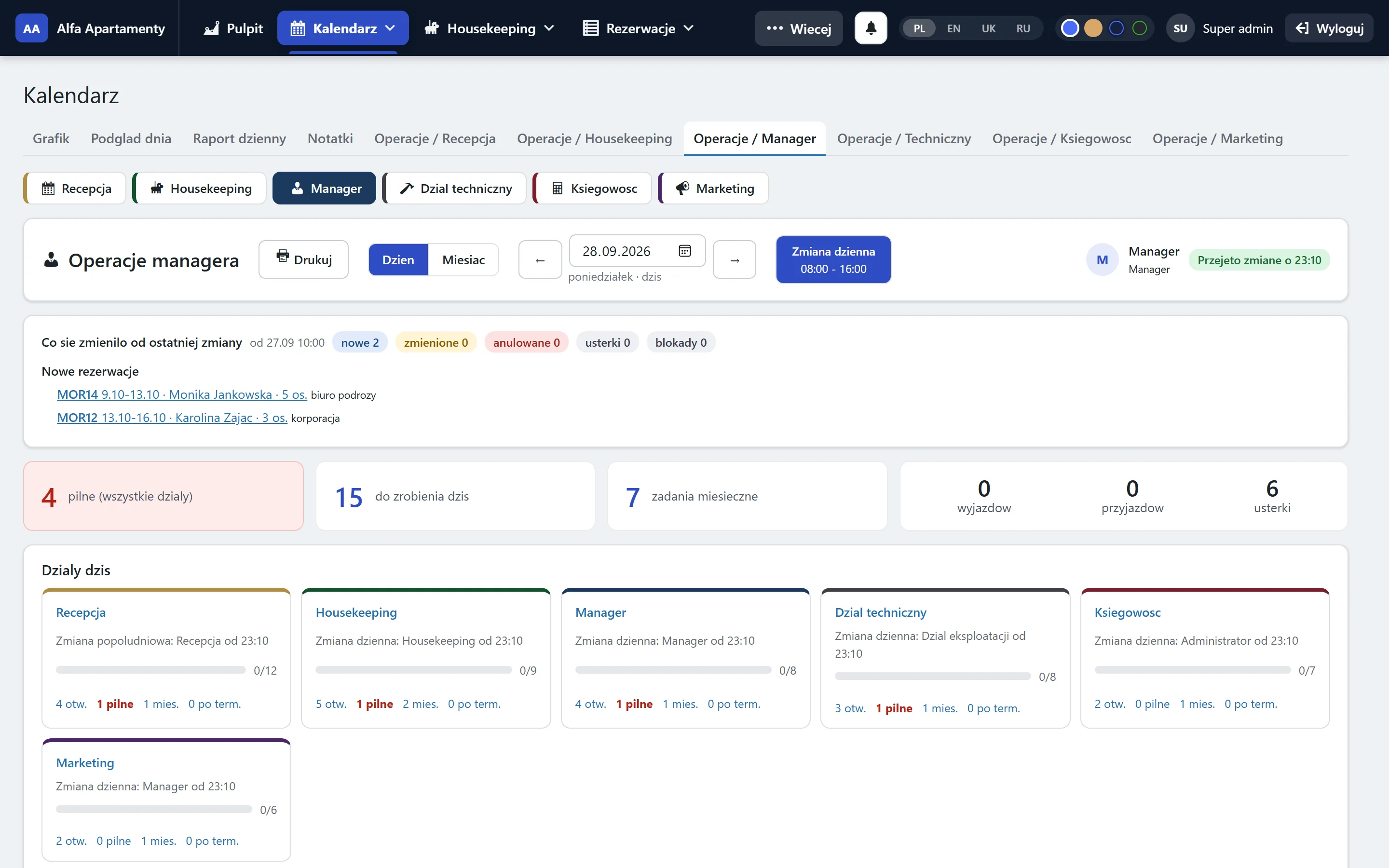
Department operations
Front desk, housekeeping, maintenance, accounting, marketing and management. Shift takeover, checklist, tasks for today and the whole month. The manager sees all departments on one screen.
Housekeeping
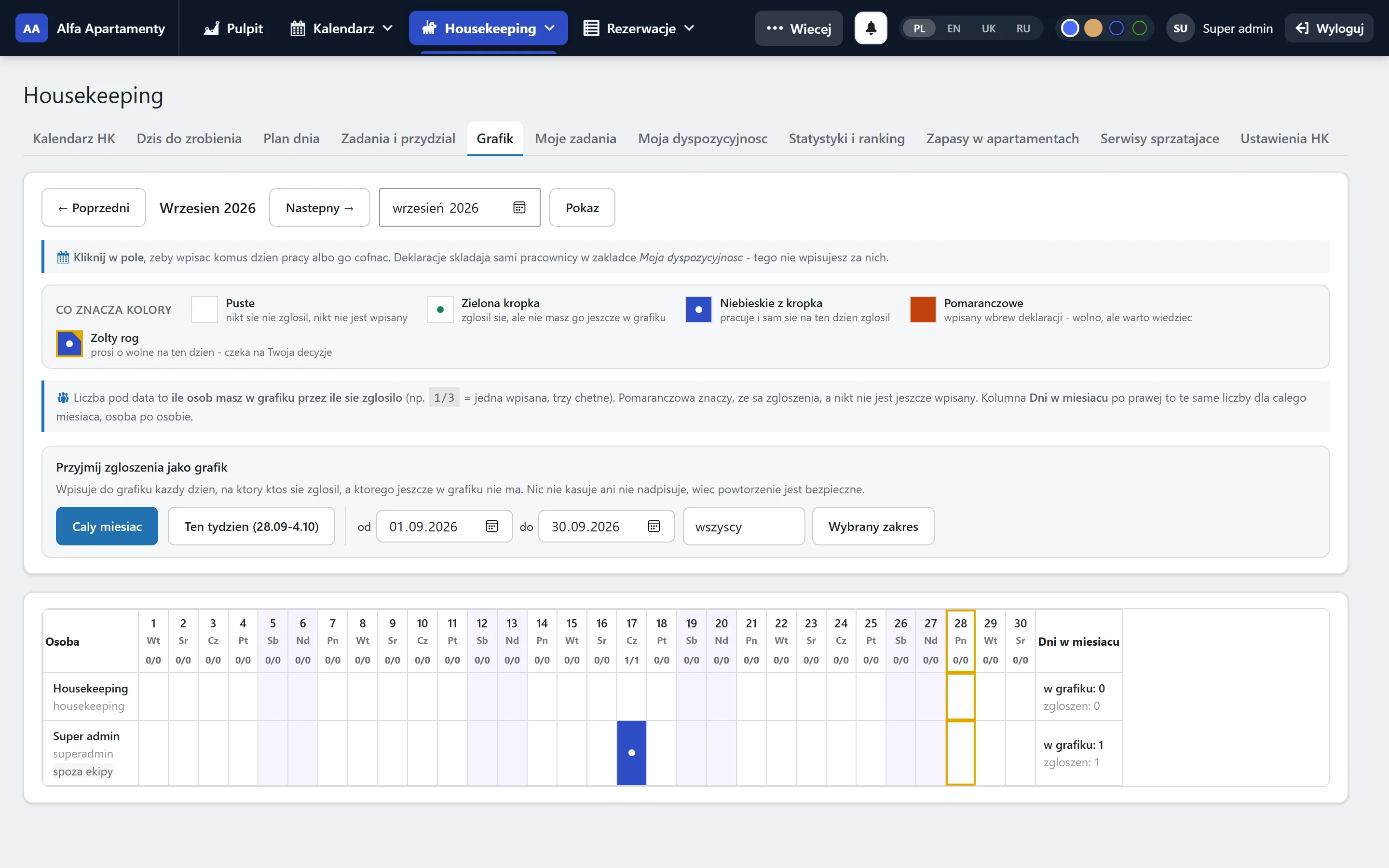
The daily plan on a phone, in the cleaner's language. Tasks with time estimates, quality inspection, in-unit supplies and a schedule with day-off requests.
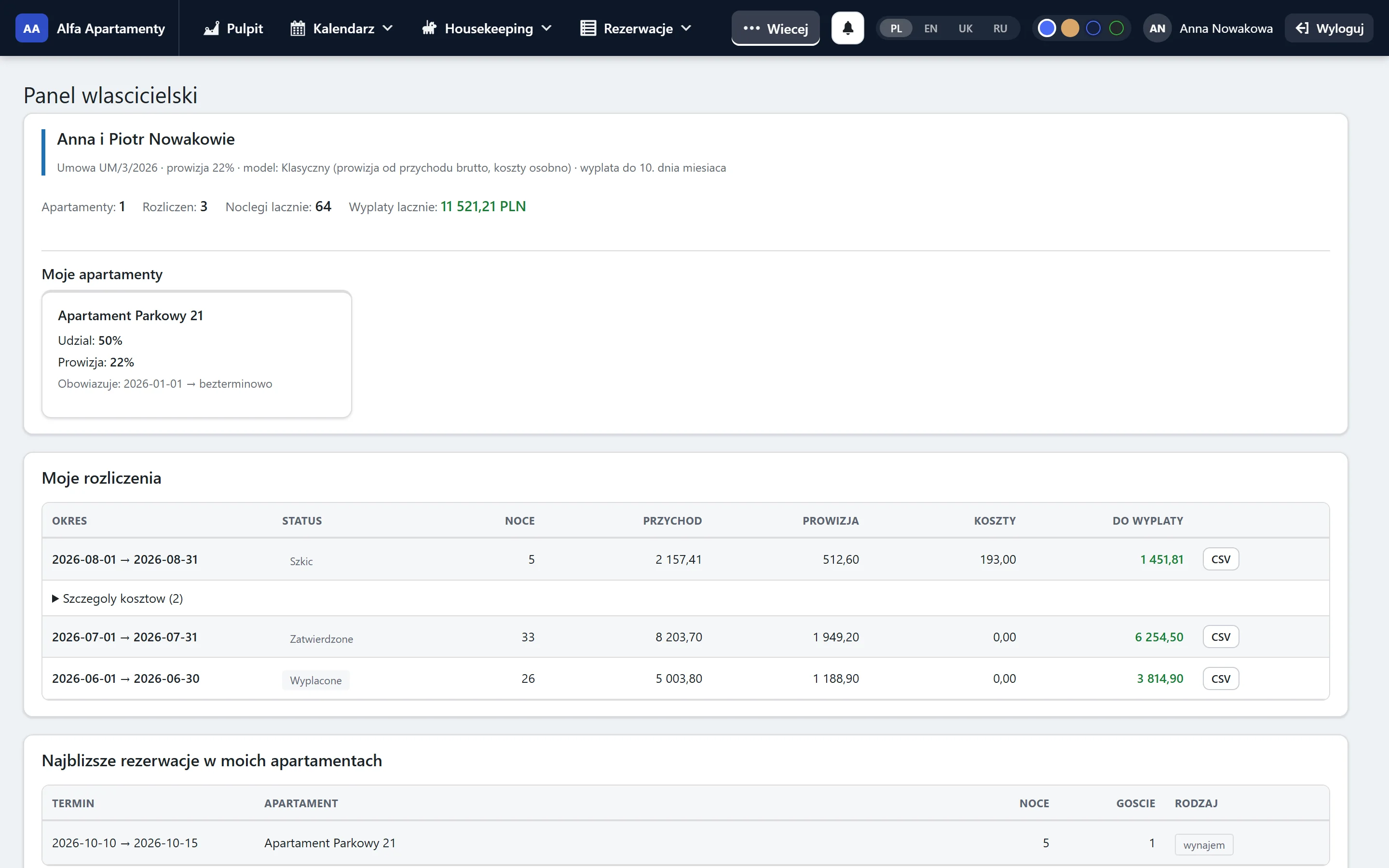
Owner portal and statements
Revenue, channel commissions, costs and cleaning are calculated automatically. Owners get their own portal and see only their units.
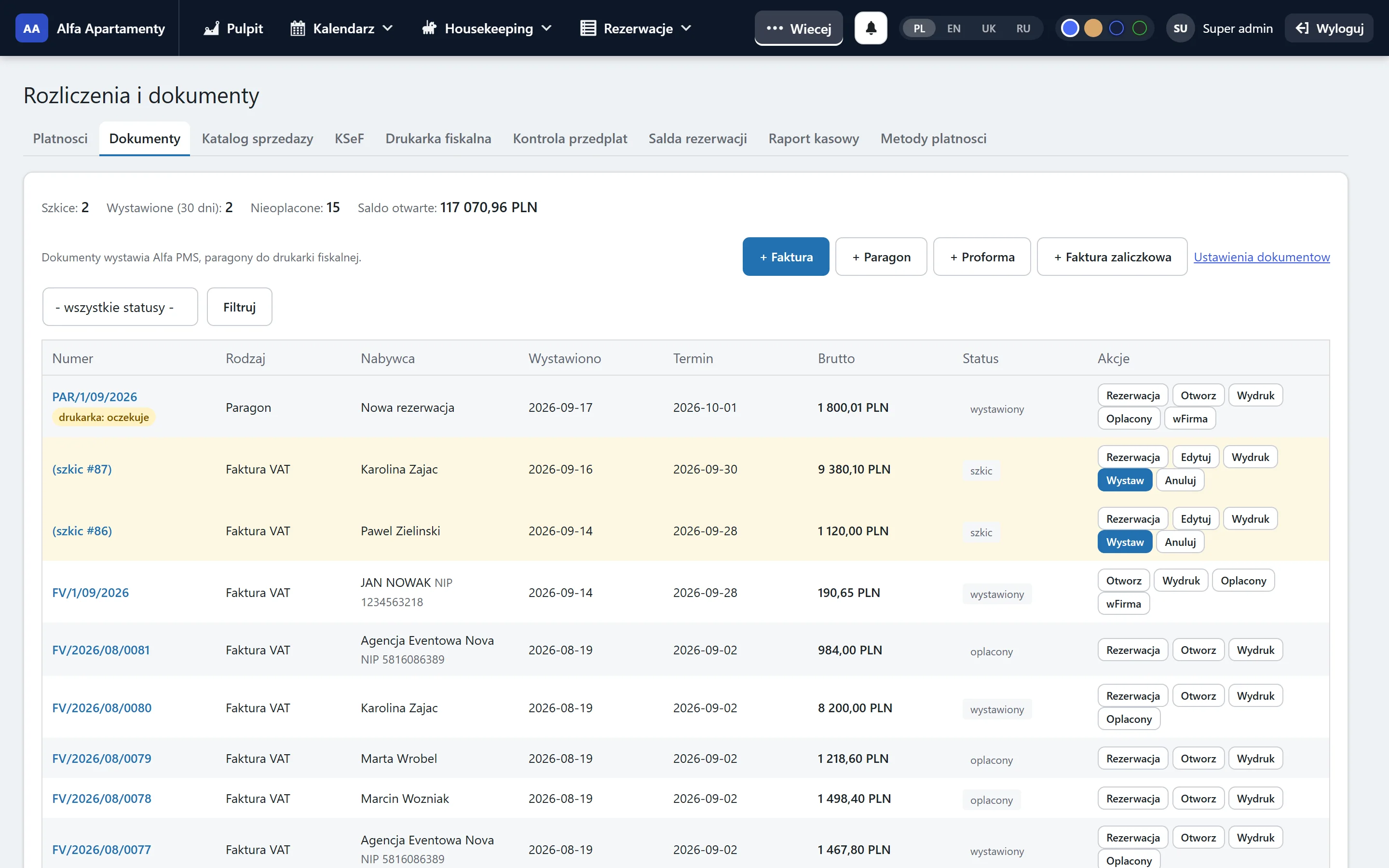
Documents and payments
Invoices, credit notes, deposits and receipts straight from the booking, with KSeF submission and a fiscal printer. The costs module downloads purchase invoices from KSeF, splits them across apartments and owners and books goods into inventory - so owner statements use real costs.
Learn more: Documents and payments Learn more: Costs and purchase invoices
Modules
Every module is switched on separately. A small guesthouse starts with the calendar and housekeeping, an operator with a hundred apartments adds owner statements, inventory and e-invoicing.
Development
We develop the system together with the properties that run on it. Here are the latest changes.
What's newApartment card: edit every section right from the card, inventory (plates, cutlery) from the stock catalogue with a "deduct from stock" choice, and inventory counts with shortages sent to the shopping list.
Department operations: recurring tasks, apartment checklists, system-created tasks, escalation of urgent tasks to the manager, monthly report and printable shift plan. New boards: accounting and marketing.
Operations for every department: housekeeping, maintenance and management got their own boards, a month view and month-long tasks.
All accounts in one place: edit, disable and delete, roles without access to front-desk data, and new owners in one step with apartments suggested from Previo.
It doesn't have to. Alfa imports bookings, apartments and rates from your channel manager (e.g. IdoBooking, Previo, NFHotel), and channel sales can keep going through your channel manager. Alfa adds what a PMS doesn't do: department work, housekeeping, inventory, maintenance and owner statements.
No. Each module is enabled separately and you pay only for the ones you use. Start with two and add more later.
Yes. Housekeeping and maintenance work on phones: daily plan, tasks, fault photos and inventory counts.
The panel is in Polish. Housekeeping screens also work in English, Ukrainian and Russian - everyone picks their own language.
Every client has a separate installation and database on a server in Poland. Data is never mixed with other properties.
Usually from one to a few weeks, depending on modules and properties. We import apartments and bookings, set up accounts and roles, and train your team.
We'll show you the system on demo data first, then on your apartments. No obligations.